
The maintenance manual your machine never shipped with.
A custom machine is assembled from components made by dozens of suppliers — and every one arrives with its own manual, spec sheet and error-code table. Upload that pile, plus the bill of materials, the purchase orders and your process sequence. ManualWorks assembles it into one maintenance manual in minutes rather than weeks — every line cited to the source it came from, and rebuilt whenever one of those sources changes.
Weeks → minutes
From supplier pile to a cited manual.
Never stale
Re-assembled when a source changes.
Source material
Festo DSNU-25 operating manual
PDF · vendor manual
Siemens S7-1200 system manual
PDF · 412 pages
PO 44821 — Festo / SMC
CSV · purchase order
BOM Rev C — Cell 4
XLSX · 96 parts
Assembled manual
From a pile of supplier documents to one grounded manual.
A thirty-second walkthrough of the process, in four steps. ManualWorks reads every vendor document, links it to the parts in your bill of materials, and assembles a single maintenance manual — every specification, procedure and warning cited back to its source.
Drop in the vendor manuals, spec sheets, drawings, bills of materials and purchase orders that arrived with the machine.

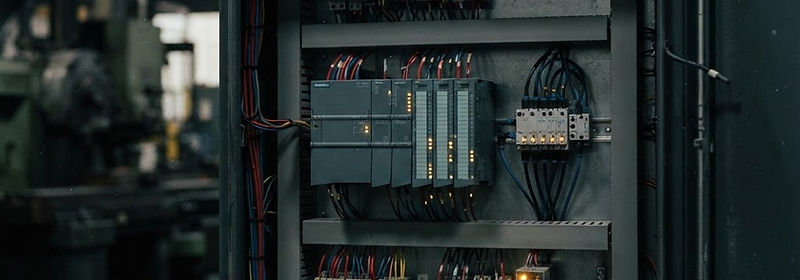
One machine. Dozens of vendors. Hundreds of documents.
Turning that material into a single manual a maintenance technician can actually use takes an engineering team weeks of copy, paste and cross-checking. Then the machine ships, a component changes, and it is out of date.
Supplier documentation
Every vendor sends its own manual, wiring diagram and error-code table — each written in a different structure, at a different quality.
Bills of materials
Part numbers, quantities and reference designators live in spreadsheets that nobody links back to the documentation covering them.
Process sequences
The way the machine actually runs — step by step, with cycle times and equipment — is often held in one engineer’s head.
From a pile of supplier PDFs to a manual a technician will trust.
Ingest
Drop in vendor manuals, spec sheets, purchase orders and bills of materials — PDFs, scans and spreadsheets, exactly as they arrived.
Map
Each document is read and its part numbers, fault codes, maintenance tasks and warnings extracted. Every BOM line is matched to the documentation that covers it, and the gaps are flagged.
Assemble
Record the machine’s process sequence, then the assembly engine writes the manual from your own sources — with citations, and no invented values.
Issue
A cross-referenced manual with consolidated maintenance schedules and troubleshooting trees, ready to print or save as a PDF for the people who maintain the machine.
Build one manual free, from one of your own documents.
Drop in a vendor manual, spec sheet or bill of materials. The platform reads it and returns a cited six-section manual preview — the same engine that assembles a full manual in the workspace. One per visitor, no account needed.
PDF, CSV, XLSX, DOCX, TXT or an image
One document, up to a few dozen pages. Larger files are best handled in the workspace.
Your file is uploaded privately and read only to build this preview.
Choose a document and the six sections appear here — System Overview, Process Flow, Component & Documentation Index, Preventive Maintenance, Troubleshooting and Safety & Warnings.
Everything between the raw supplier file and the finished manual.
Smart ingestion
A single bucket for supplier manuals, spec sheets, purchase orders, drawings and BOM spreadsheets. Each file is read for the facts a manual needs — tables, rated values, fault codes and warnings included.
Component mapping
Every part number in the bill of materials is matched against the documents you uploaded. Components with no vendor documentation behind them are flagged before the manual goes out.
Process mapper
Record how the machine runs, step by step, with cycle times and the equipment each step uses. That sequence becomes the process flow section of the manual.
Consolidated maintenance
Service tasks scattered across dozens of vendor manuals are merged into one schedule — daily, weekly, monthly, quarterly, annual and as-required.
Troubleshooting trees
Fault codes and failure symptoms become decision trees: probable causes, a diagnostic sequence, the parts involved and the document behind each answer.
Safety consolidation
Every warning, caution and lockout instruction from the supplied sources, gathered into one section with its origin attached.
A wrong torque value is not a bad answer. It is an injury.
Manuals and troubleshooting guides are written for people standing at heavy machinery. So the platform is built to be restrictive rather than fluent: it reports what your documents state, shows where it came from, and stops there.
Your sources only
The assembly engine writes from the documents you uploaded. It has no other knowledge of your machine and does not reach for the open internet.
Citations on every line
Specifications, procedures and warnings carry the source document they came from, so a technician can go back to the vendor manual and check.
Refusal over guessing
Where your documentation is silent, the manual says "not documented in the supplied sources" instead of inventing a torque figure, a part number or a procedure.
Weeks of copy-and-cross-check, compressed into one pass.
Multi-format ingestion
PDFs, scans, spreadsheets, drawings, procedures and transcripts go in as they arrived. No clean-up pass, no re-typing the same values into a template.
Manuals that do not go stale
When a vendor document or a component changes, re-run the assembly and the manual is rebuilt from the current sources — same structure, current facts.
Output that fits the shop floor
Readable on screen, printable to PDF, and structured in fixed sections so a technician finds the maintenance schedule or the fault tree without hunting.
Brand and tone guardrails
Section order, terminology and formatting are fixed by the platform, and the engine is held to your documents — a strict no-invention rule rather than a fluent guess.
OEMs and custom machine builders
Every machine is a one-off built from bought-in components. The manual has to be produced for each one, and the customer expects it at handover.
System integrators
Automation lines combine equipment from several vendors. Maintenance teams need one document that covers the whole line, not a shelf of separate manuals.
Contract manufacturers
Standard operating procedures and maintenance schedules have to stay consistent across shifts and sites — and stay current when a component changes.
Also used for


Who is behind ManualWorks
Spencer Tolbert
CEO / Founder / President
I spent years as a senior machine builder at a global corporation, and watched the same problem follow us across companies all over the world: documentation that is hard to present and even harder to reach when someone actually needs it. ManualWorks exists to fix that.
Your drawings stay your drawings.
Supplier manuals, bills of materials and machine drawings are some of the most sensitive files a builder owns. Here is exactly how they are handled, with no badge you have to take on faith.
Certifications
We hold no third-party security certifications yet, and no SOC 2 or ISO 27001 badge is claimed on this page. If your procurement process needs evidence of how your documents are stored and accessed, tell us what is required and we will answer it in writing.
Files land in private storage
Every document you upload is written to private storage. It gets no public link, and it is reached only through a short-lived signed URL issued for your session.
Scoped to your account
Projects, documents and assembled manuals are reachable only by signed-in members of your workspace. Access is granted by your account admins, not by whoever holds a link.
Your sources stay internal
The manual you hand to a customer cites your documents. The underlying vendor PDFs, bills of materials and drawings stay in your workspace and are never part of the customer-facing output.
Removable on request
Delete a document or an entire project and the stored source file goes with it, along with anything assembled from it.
Start with a pilot. Scale to a fleet.
Indicative pricing. Final quotes follow the number of machine builds and the systems behind them.
A low-risk way to see the finished manual on one of your own machine builds.
1 complete custom machine build
- Process documentation for one complete machine build
- Print-ready PDF delivery
- Interactive QR portal hosted for 90 days
- Source-cited output
Standard is billed monthly, with an allowance of up to 12 machine builds a year. Additional machine builds, on-premise deployment and custom integrations are quoted per account.
Send us one machine’s documentation.
We will walk through your vendor manuals, bill of materials and process sequence together, and show you the manual the platform assembles from them.
Tell us a little about the equipment and we will come back to arrange a time.